Latest Version Available

Master Your Campaign
Like Never Before

A portable, offline-first Dungeon Master tool designed specifically for dual-monitor setups. Manage combat, branching timelines, and player projections without internet.

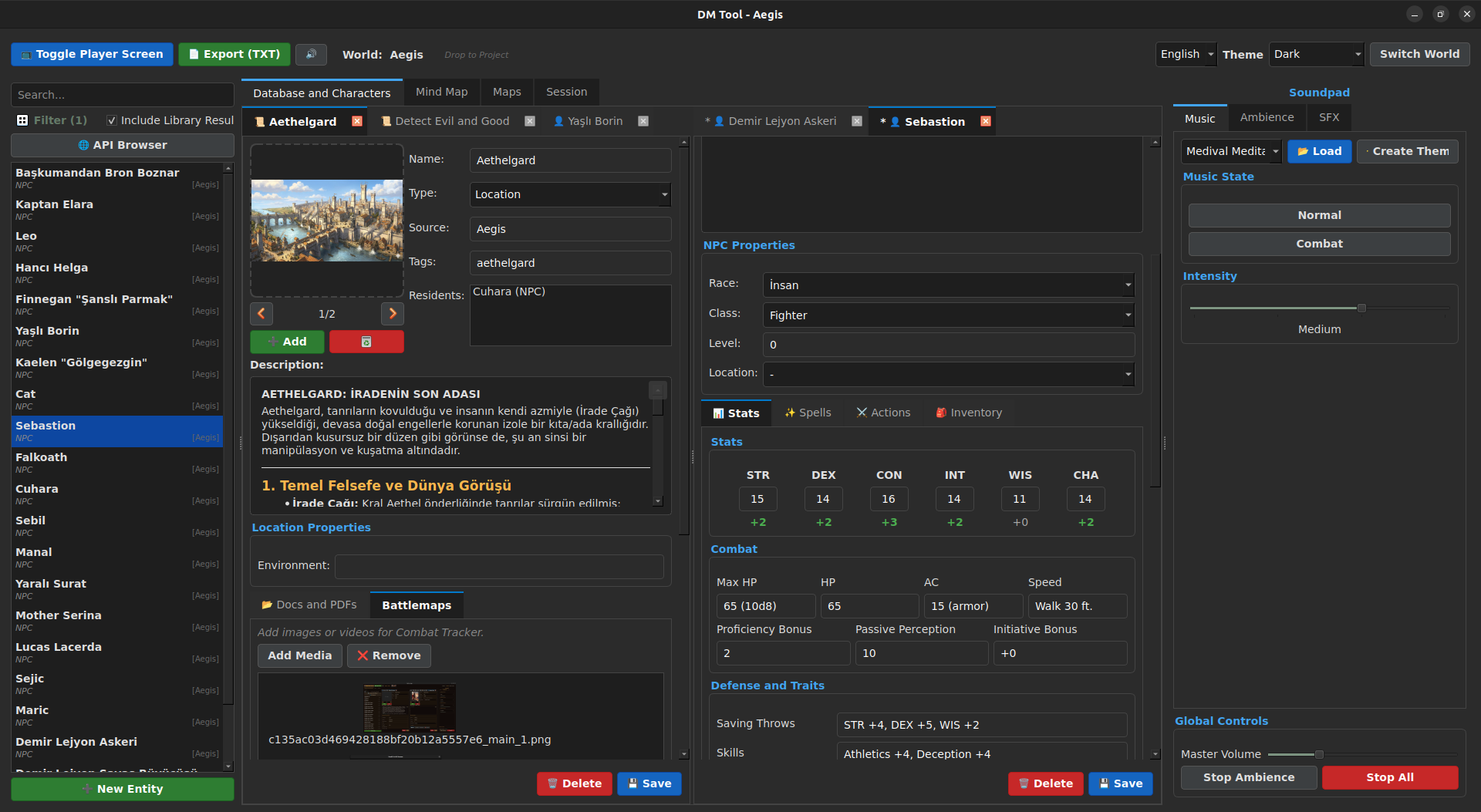
Dungeon Master Tool Interface

Forged for Storytellers

Everything you need to run immersive sessions, right at your fingertips.

Dual Monitor Projection

Drag & drop NPCs, items, or maps to instantly project them to a second screen for your players. Multi-image split view supported.

Interactive Fog of War

Draw fog to hide secrets and erase it to reveal rooms. State persists per encounter automatically.

Animated Maps

Support for local video files (.mp4, .webm) to create immersive, moving battlegrounds that breathe life into combat.

Adaptive Soundpad

Layered music system with intensity sliders (Base, Low, High) and instant SFX. Import your own custom tracks and themes.

Branching Timelines

Map-based tracker for stories with branching paths, travel lines, and session-linked events.

Offline First

No internet? No problem. All data is stored locally in high-speed MsgPack format. Portable and secure.

Visual Showcase

A peek into the toolkit.

Start Your Adventure

Join other DMs enhancing their table with the Dungeon Master Tool.

Recommended for most users.

Download Windows .zip Loading version...

Automated installation via script.

git clone https://github.com/elymsyr/dungeon-master-tool.git
cd dungeon-master-tool
bash installer/install.sh

MacOS Installation & Security Note

Since this is an open-source project and not signed with an official Apple Developer account, you need to manually bypass the "unverified developer" warning.

  • 1

    Extract the downloaded .zip file.

  • 2

    Drag DungeonMasterTool.app to your Applications folder.

  • 3

    Open Terminal (Cmd + Space, type 'Terminal') and run the following command to remove the quarantine flag:
    sudo xattr -rd com.apple.quarantine /Applications/DungeonMasterTool.app
  • 4

    Launch: You can now open the app from your Applications or Launchpad.

Download MacOS .zip

For Apple Silicon & Intel Macs.

Project Roadmap

Live plans straight from our drawing board.

Loading Roadmap...